Manage scripts, delay third-party JS, minify CSS, strip WordPress bloat, and auto-optimize images — all from one lightweight plugin.
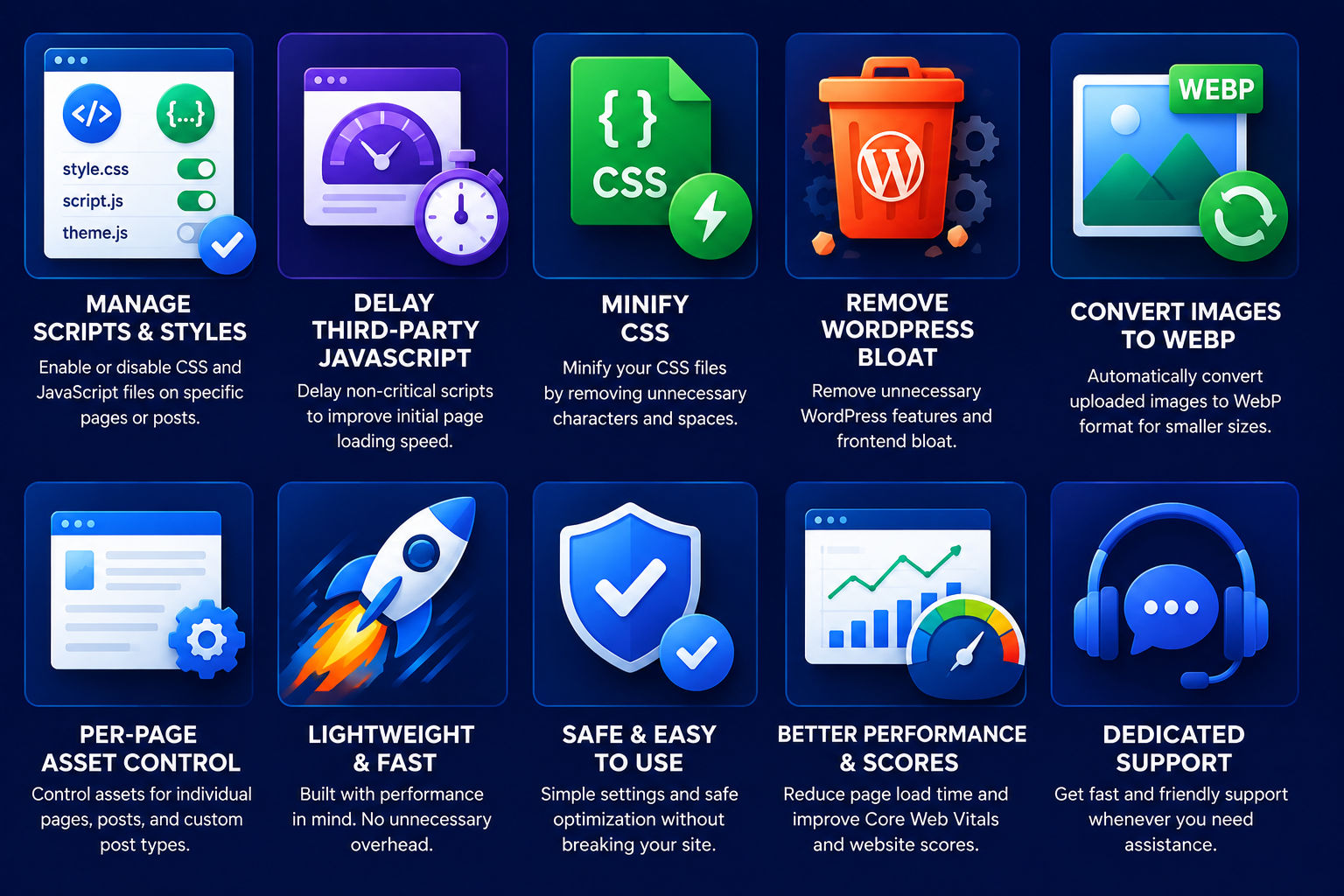
Most WordPress sites load dozens of CSS files, tracking scripts, emoji detectors, embed handlers, and unoptimized images — even on pages that don't need them. Every extra millisecond costs you visitors, conversions, and SEO rankings.
Excessive scripts and unoptimized CSS delay rendering and frustrate users.
Emoji scripts, embed handlers, Heartbeat API, and generator tags add unnecessary weight.
Google Analytics, Meta Pixel, Hotjar, and chat widgets compete for resources during initial load.
Large JPEGs and PNGs with EXIF metadata slow down every page with images.
WP Asset Optimizer gives you everything you need to speed up your WordPress site — no coding required.
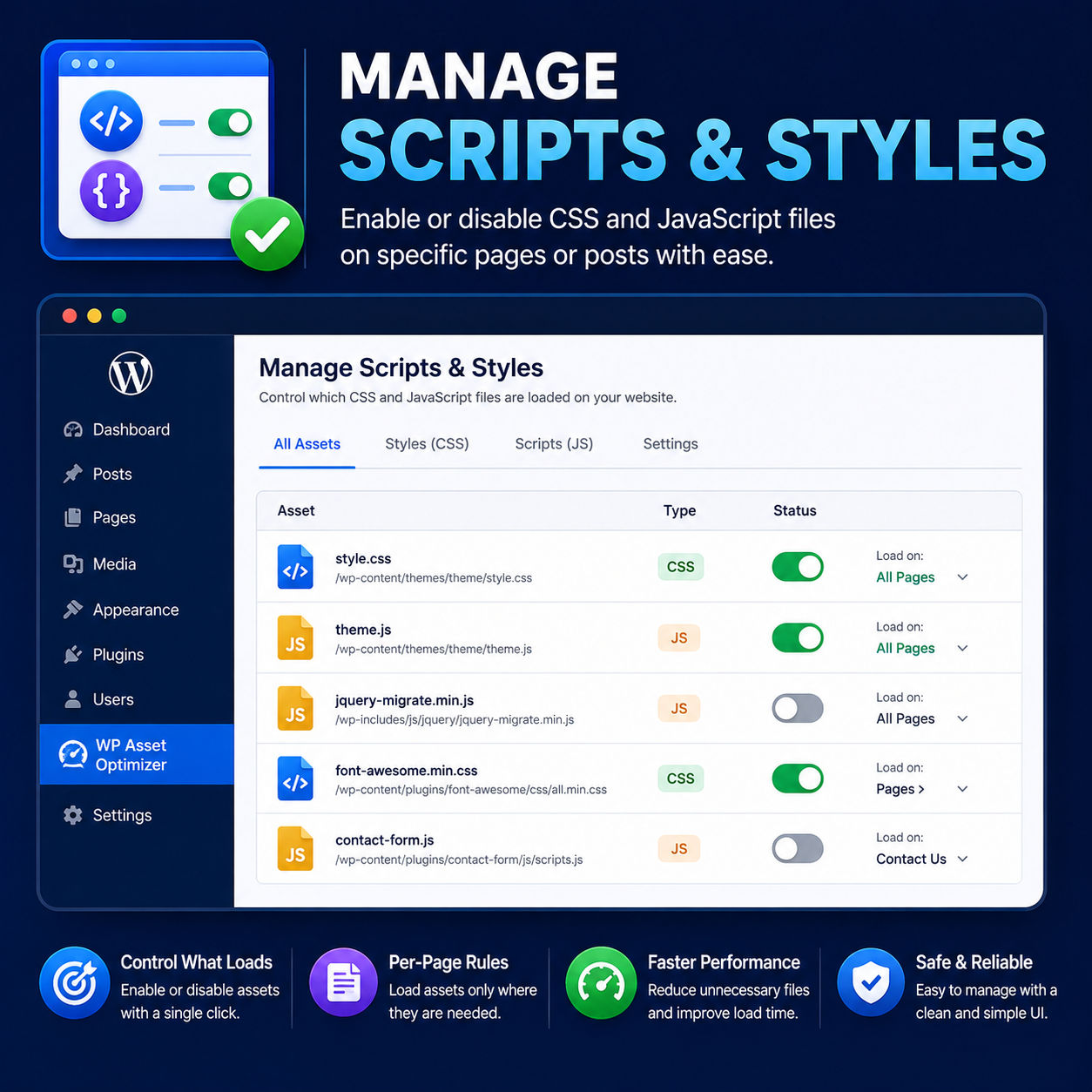
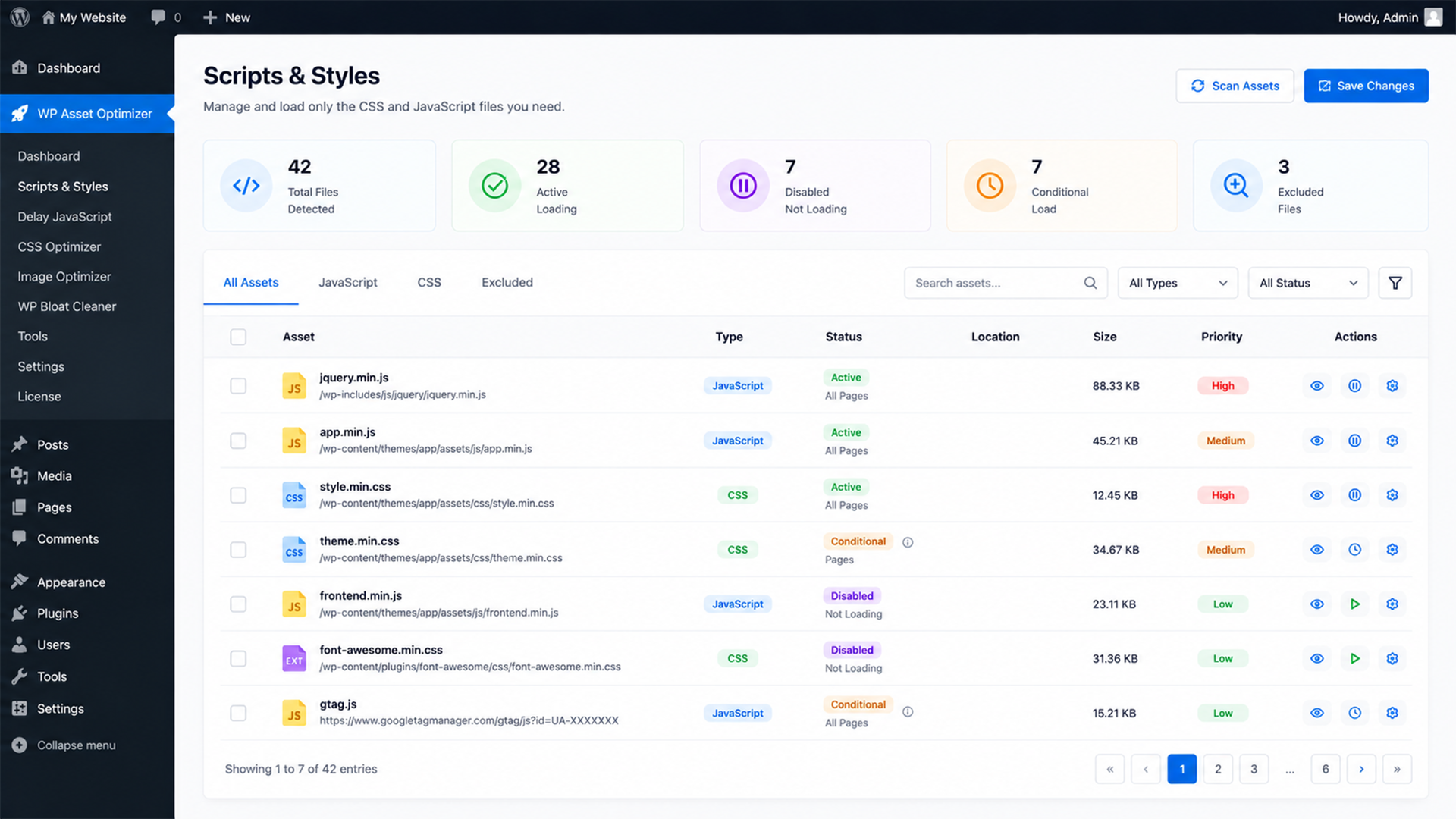
Scans and inventories all active CSS and JavaScript files on your frontend. Disable heavy or unnecessary scripts site-wide with a single toggle — no code editing needed.
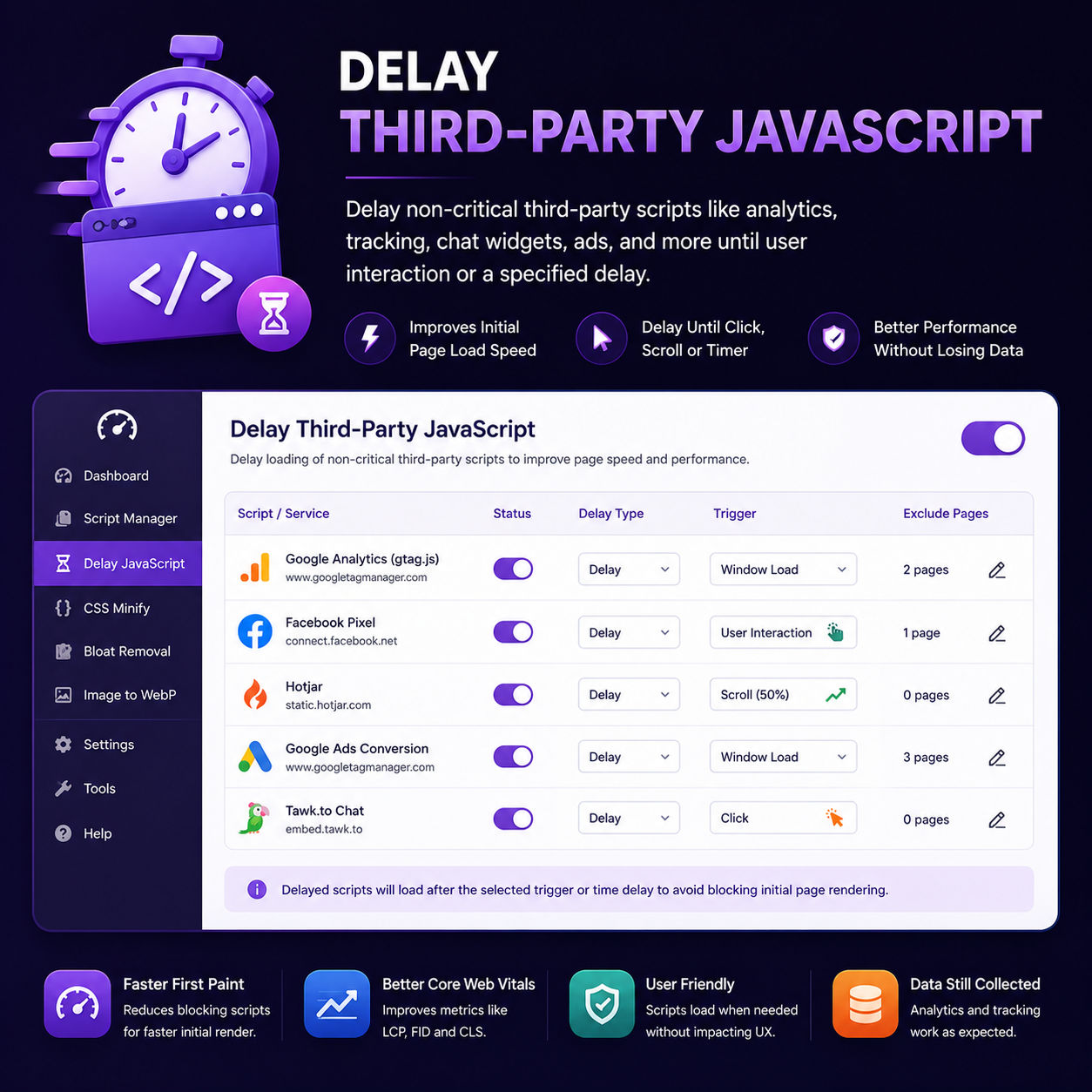
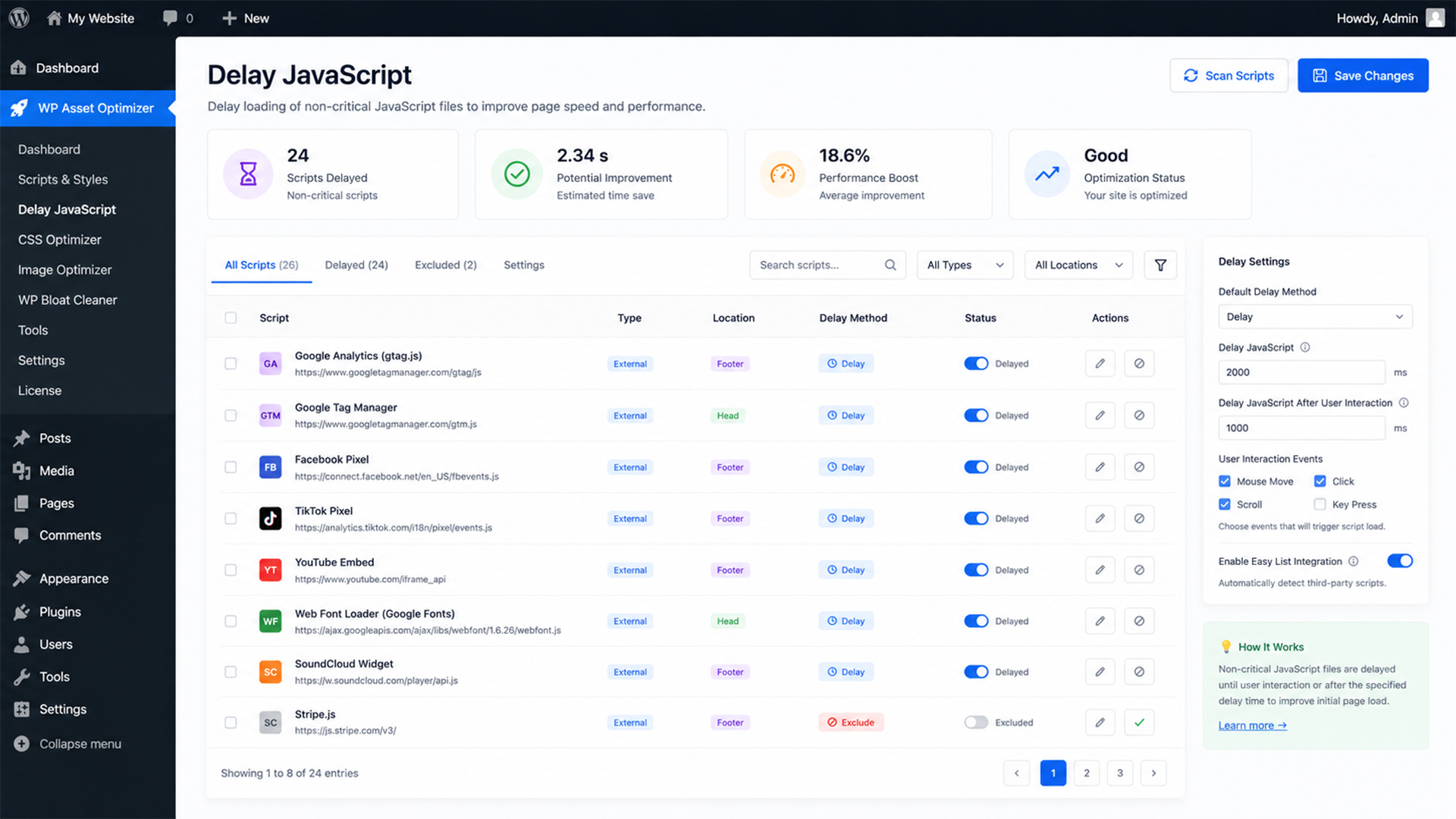
Delay non-critical third-party scripts (Google Analytics, Meta Pixel, Hotjar, chat widgets) until real user interaction — scroll, click, or keypress. Your pages render fast while analytics still fire correctly.
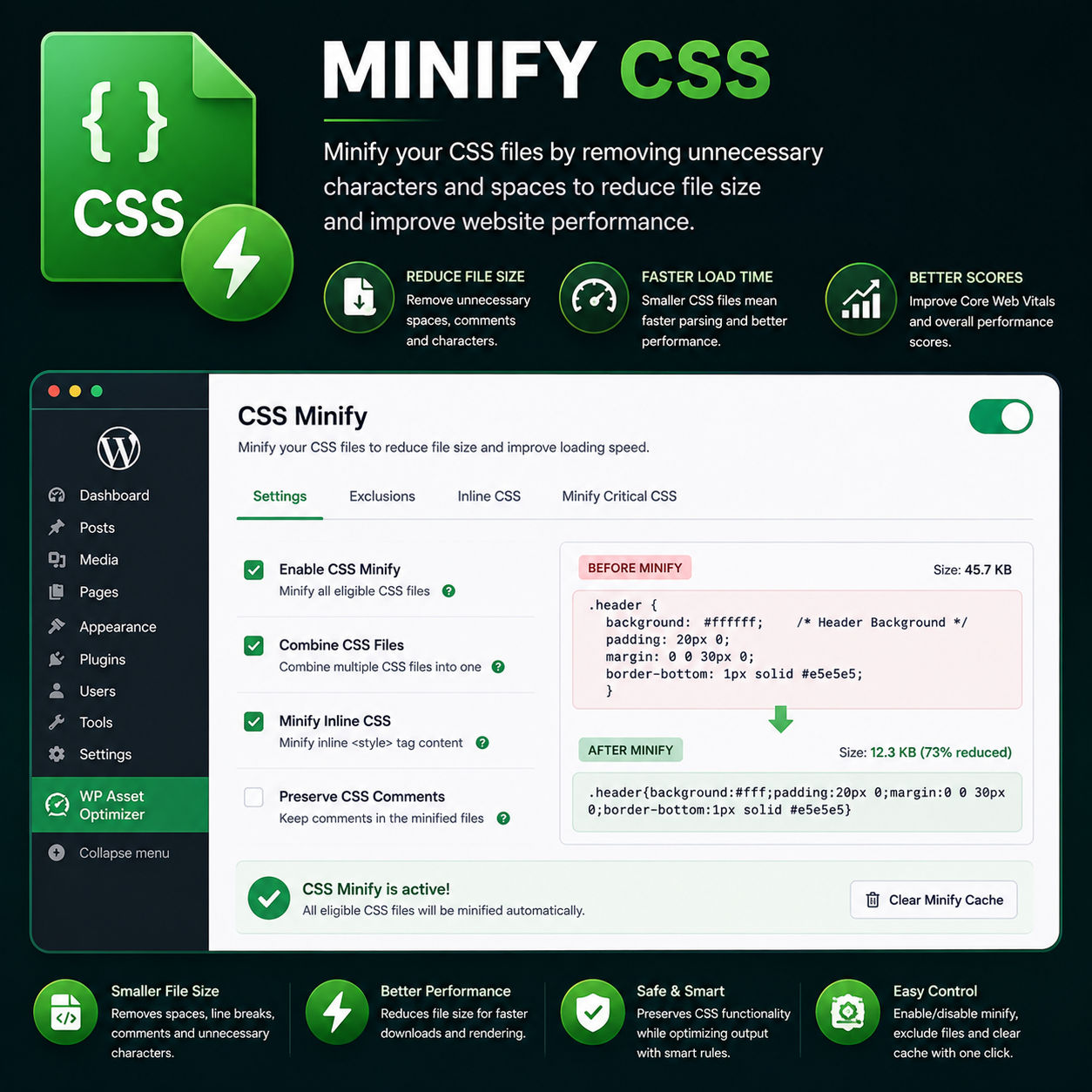
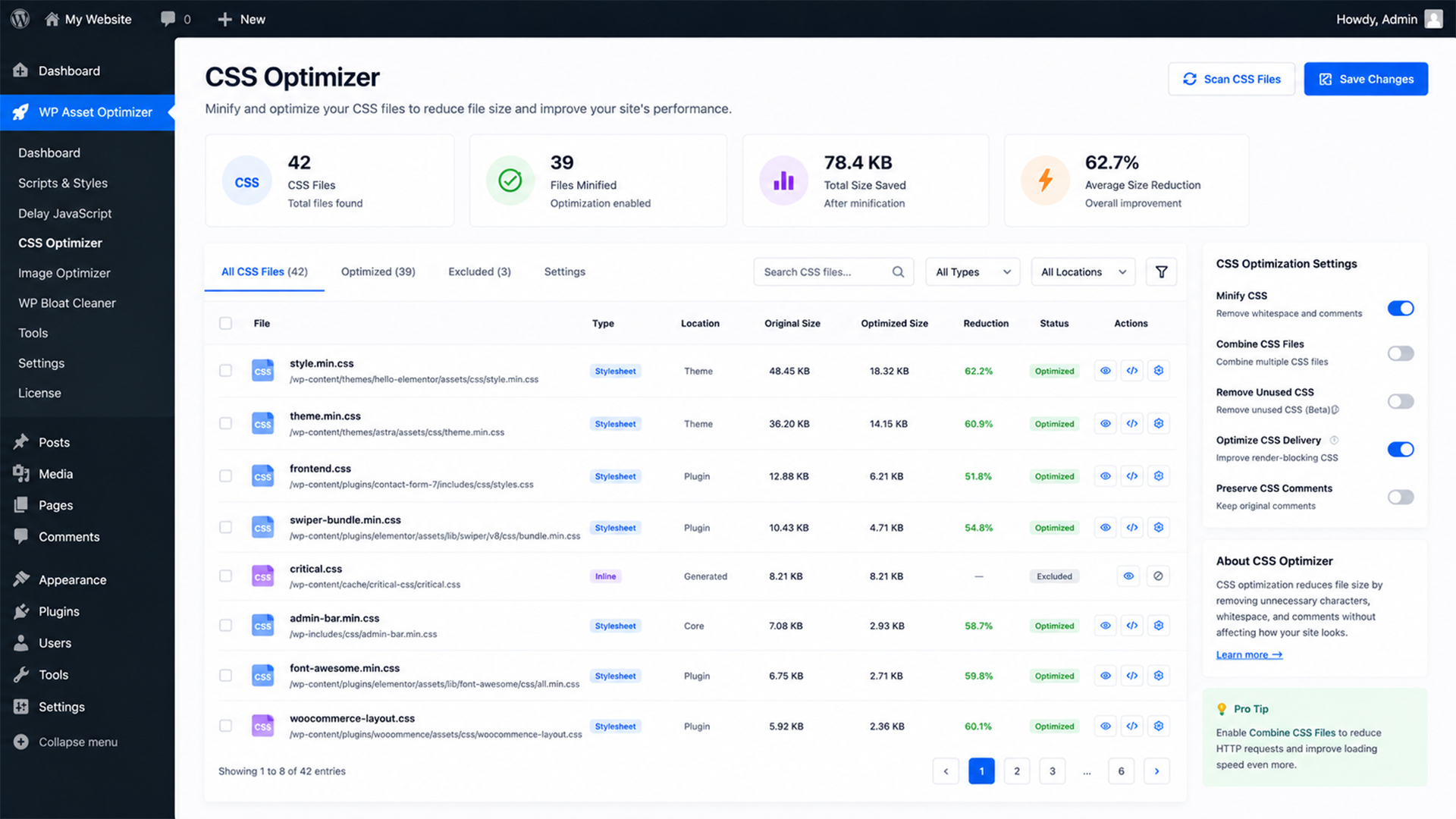
Automatically strip whitespace, comments, and unnecessary characters from CSS files. Load selected external stylesheets asynchronously to prevent render-blocking.
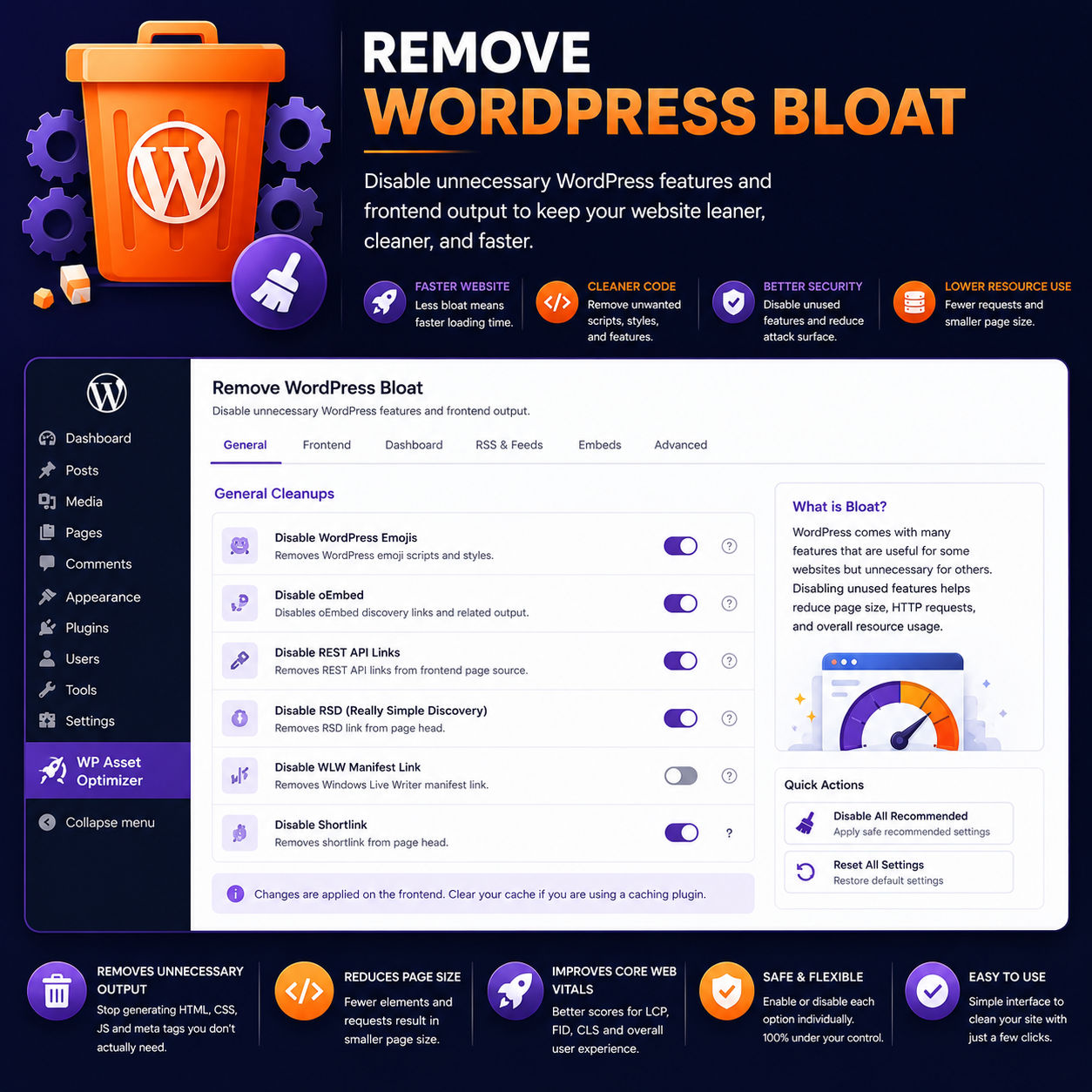
WordPress ships with emoji detectors, embed handlers, generator tags, WLW links, RSD manifests, and Heartbeat API polling. Disable them all with one-click toggles.
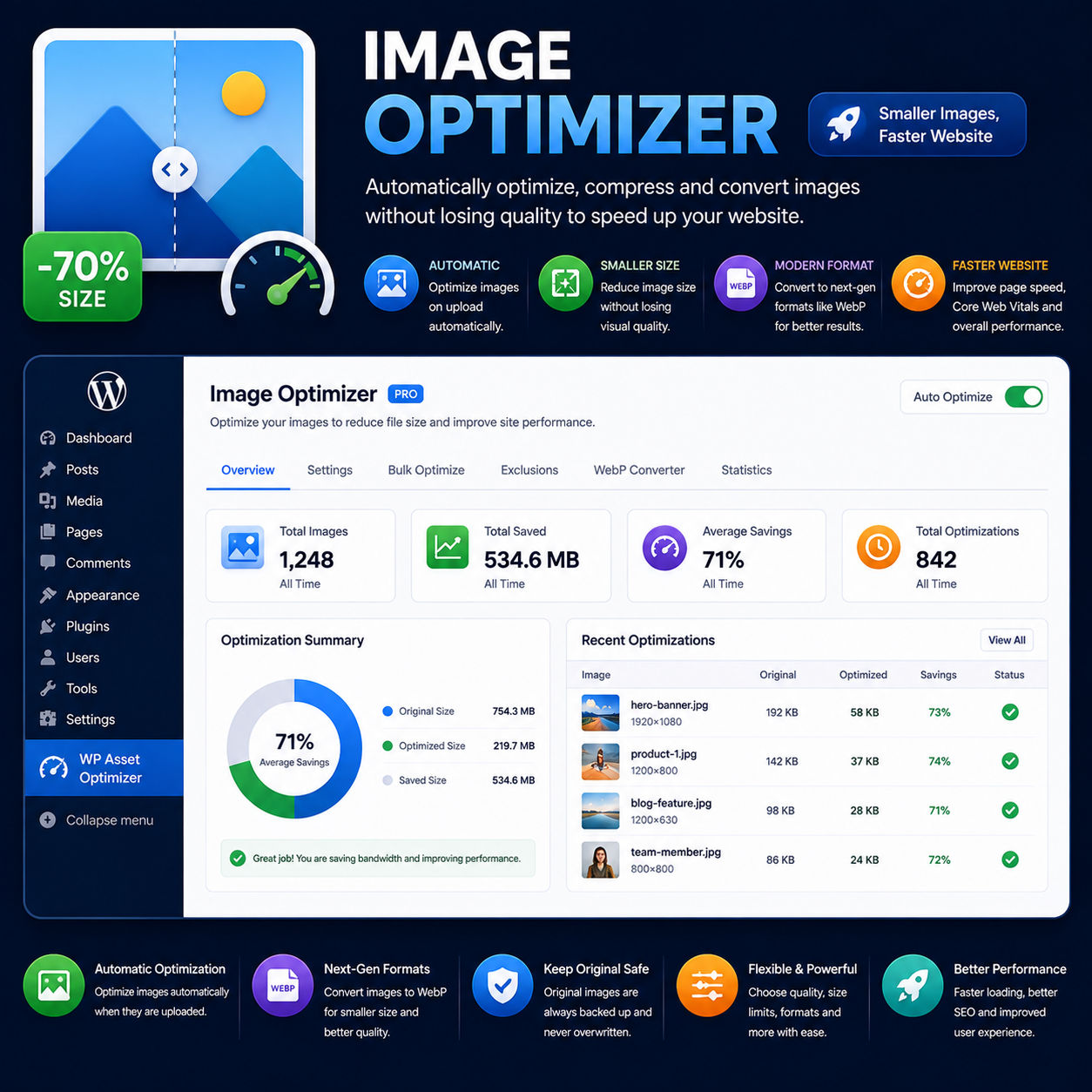
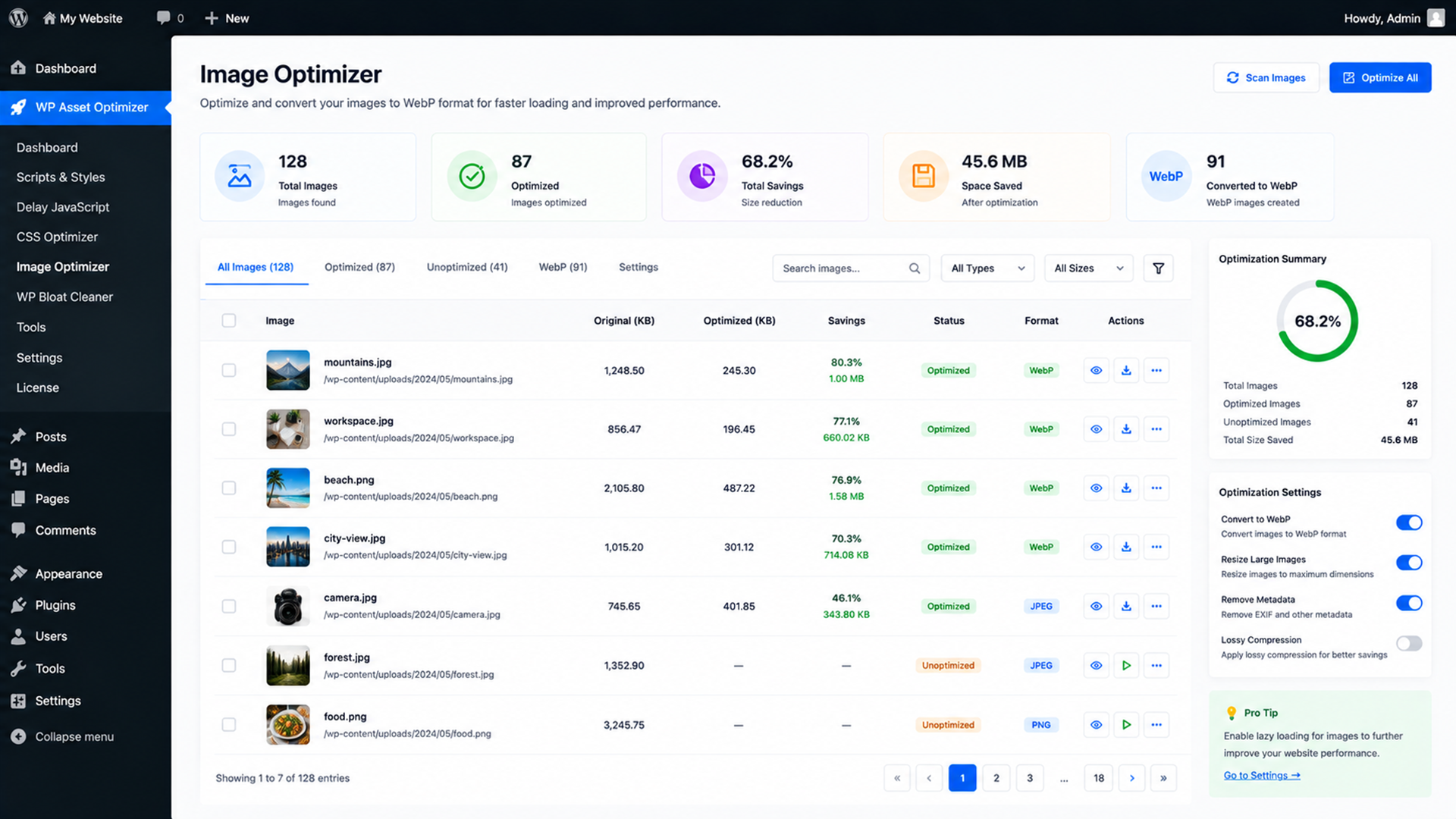
Automatically converts uploaded JPEG and PNG files to lightweight WebP format. Strips EXIF metadata (camera info, GPS location, color profiles) and lets you fine-tune quality settings.
The admin dashboard is built with React and
@wordpress/components, powered by custom REST API
endpoints for smooth, asynchronous interactions without full-page
reloads.
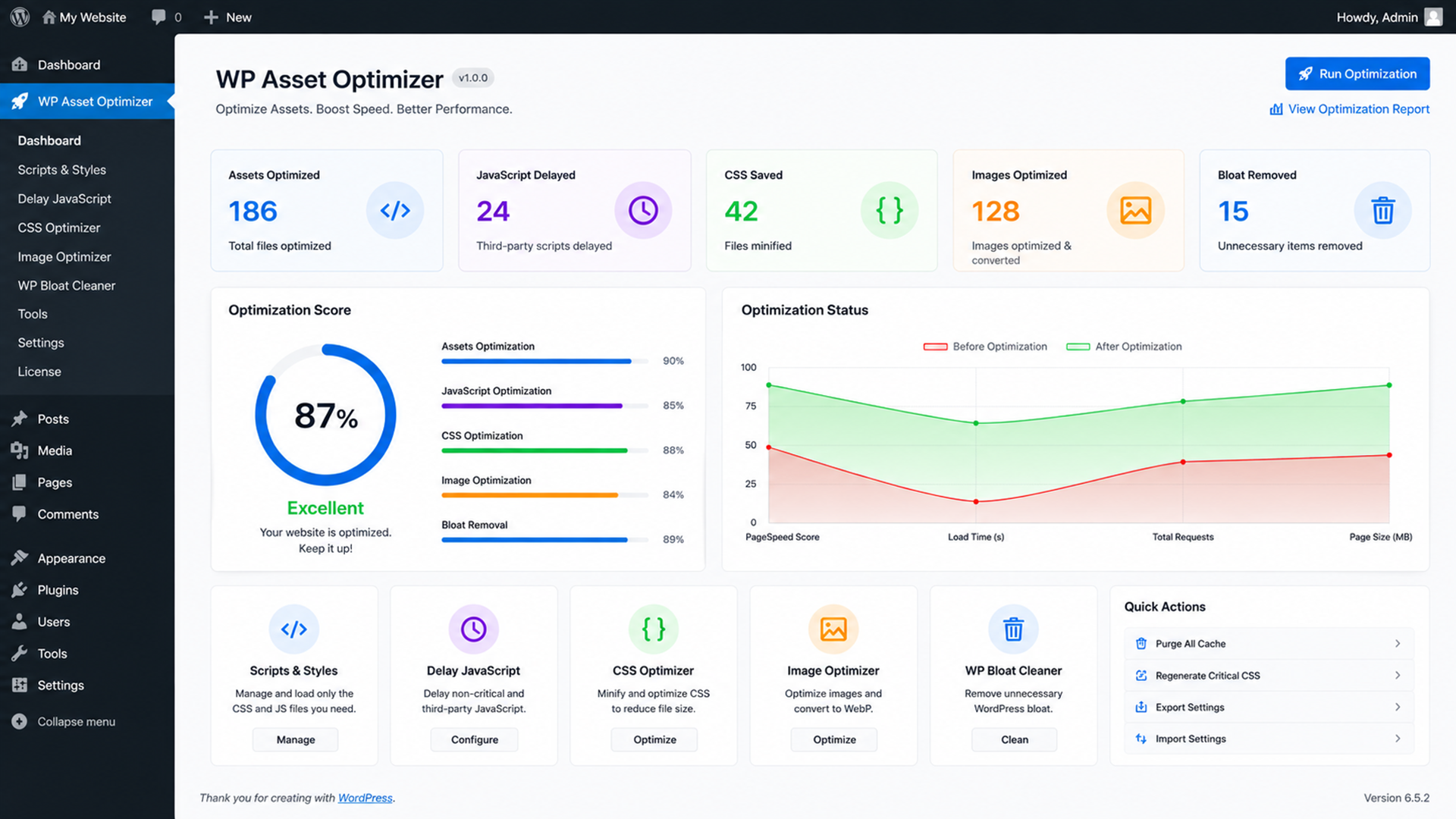
See the difference WP Asset Optimizer makes on a typical WordPress site.
No monthly fees. No annual renewals. Pay once, use WP Asset Optimizer on your sites forever.
Need more sites? Contact us for multi-site license tiers.
Full plugin with all features. Download the ZIP and install directly.
Receive all future updates — new features, compatibility fixes, and improvements.
Step-by-step installation and configuration guides to get set up in minutes.
Reach out for help with setup, configuration, or troubleshooting.
Explore the clean, modern admin interface that makes optimization effortless.
Speed up your company site to improve conversions and SEO rankings.
Faster product pages mean more sales. Reduce cart abandonment caused by slow loads.
Optimize image-heavy content automatically and keep readers engaged longer.
Showcase your work with lightning-fast image delivery via WebP conversion.
Deliver course content quickly. Reduce bounce rates from slow-loading pages.
Install on client sites for instant speed improvements. Save hours of manual optimization.
WP Asset Optimizer is an all-in-one WordPress performance plugin that manages CSS/JavaScript assets, delays third-party tracking scripts, minifies stylesheets, removes unnecessary WordPress bloat, and automatically converts images to WebP format — all from a clean admin dashboard.
No. Every optimization is toggleable individually. If something doesn't look right, simply disable that specific optimization. The plugin is designed to be safe and non-destructive — you control what gets optimized.
Absolutely not. WP Asset Optimizer features a visual, React-based admin dashboard with simple toggles and controls. If you can use WordPress, you can use this plugin.
Yes. The script delayer waits for real user interaction (scroll, click, or keypress) before firing third-party scripts. Once interaction happens, the scripts execute normally — no data is lost.
Yes. WP Asset Optimizer works with any properly coded WordPress theme. It hooks into WordPress's standard script/style enqueue system, making it compatible with virtually all themes and page builders.
WordPress 5.8+ and PHP 7.4+. The plugin uses standard WordPress APIs and modern PHP — it will run on any reasonably up-to-date WordPress installation.
The single license ($200) covers one website. If you need to install on multiple client sites, contact us for multi-site license tiers.
WP Asset Optimizer includes a clean uninstaller. When you delete the plugin, all database options are automatically removed — no orphaned data left behind.
WP Asset Optimizer gives you everything you need to make your WordPress site fast, lean, and optimized — without touching a single line of code.
Get Lifetime Access — $200 🔒 60-day money-back guarantee